HTMX Explained: Do We Really Need React for Everything?
I explain what HTMX does differently, show how hx-get and hx-swap work, and give an honest account of where it outperforms React and where it doesn't.
You type npm create vite@latest and choose React. That’s how most web projects start these days — even when the problem is a settings page with three forms and a data table.
I’ve built enough of those apps to recognise the pattern: React loads, state gets wired up, API calls return JSON, a component renders the data. It works fine. But I’ve also noticed how much of that JavaScript exists purely to shuffle data between a server and a screen that would have been perfectly fine with server-rendered HTML.
HTMX is a library that takes that observation seriously. It keeps the server in charge of HTML and treats the browser as what it’s always been — a hypermedia client that knows how to display markup and follow links. What it adds is a way to do that without reloading the full page on every interaction.
Here’s what that actually looks like, and where it breaks down.
On this page
- What HTMX actually does
- The four attributes you’ll use most
- Where HTMX earns its place
- Where React still wins
- How to make the call
- It’s not about fatigue — it’s about fit
What HTMX actually does
The web started with two interactive primitives: anchor tags that issue GET requests, and form elements that issue GET or POST requests. Both update the entire viewport with a fresh page. That’s the extent of HTML’s built-in interactivity — anything beyond that required JavaScript.
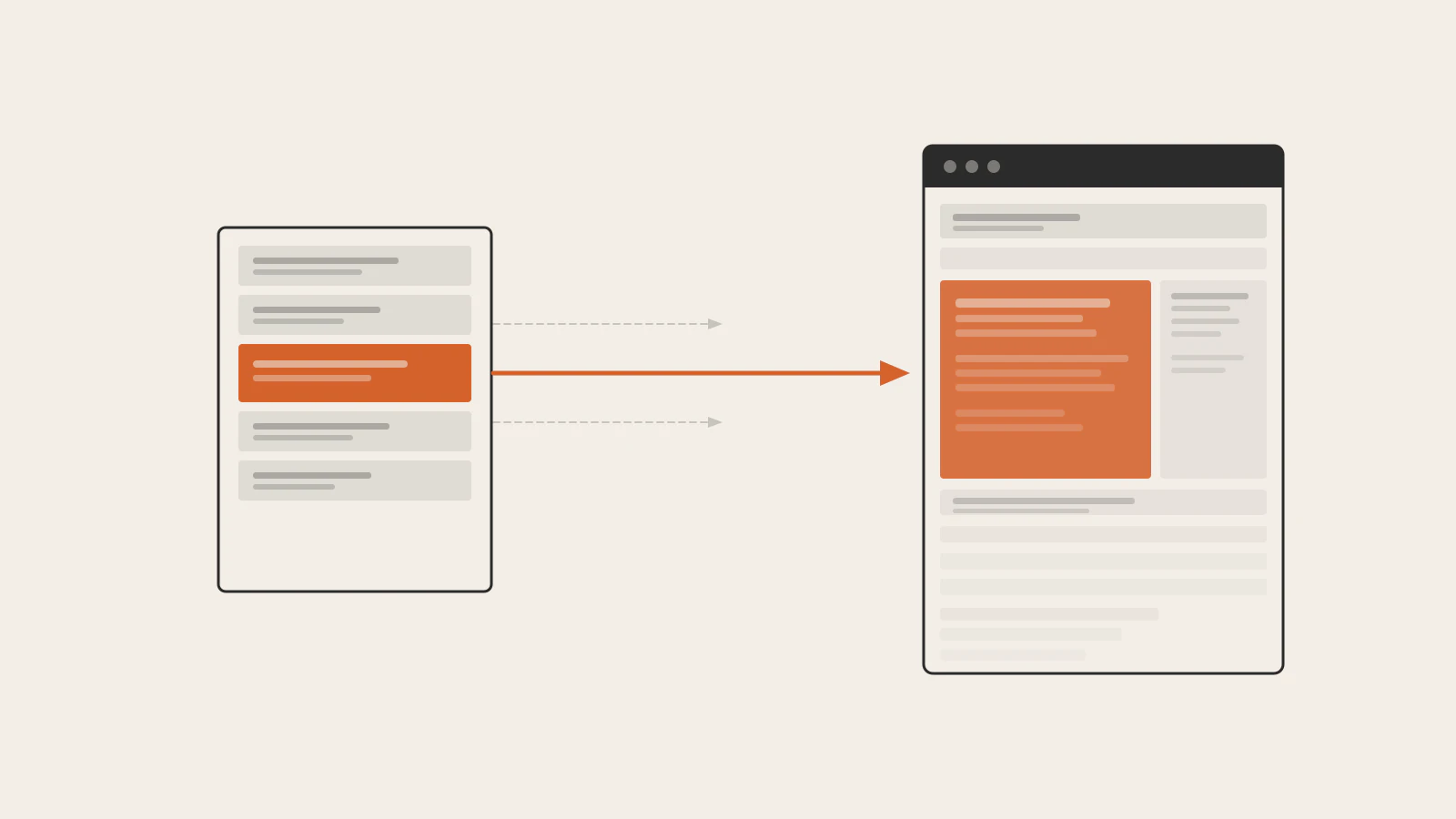
HTMX extends those primitives to any element. You can put hx-get, hx-post, hx-put, or hx-delete on a button, an input, a <div>, anything — and it’ll issue that HTTP request when triggered. The response lands in whatever part of the DOM you specify, and only that part of the page updates.
The critical difference from SPAs: the server sends back HTML, not JSON. There’s no JSON-to-component render cycle on the client. The server templates HTML the same way it always has; HTMX swaps the fragment into place.
This is the “Hypermedia As The Engine Of Application State” idea the HTMX documentation leans into. It’s not a new concept — it’s the architecture the web was designed around, extended to allow partial page updates rather than full navigations. If you’ve read through how HTTP requests and responses work, HTMX is essentially making that cycle more granular.
Installing it is one line:
<script src="https://cdn.jsdelivr.net/npm/htmx.org@2.0.10/dist/htmx.min.js" crossorigin="anonymous"></script>No build step. No configuration. One script tag and any element on the page can start issuing requests.
The four attributes you’ll use most
Here’s a search input that filters results as the user types — the kind of interaction that typically requires a React component with useState, useEffect, a debounce function, and an API endpoint returning JSON:
<input
  type="search"
  name="q"
  hx-get="/admin/users/search"
  hx-trigger="keyup changed delay:500ms"
  hx-target="#user-results"
  hx-swap="innerHTML"
  placeholder="Search by name or email">

<div id="user-results"></div>
Four attributes doing all the work:
hx-get="/admin/users/search"— issue a GET request to this URL when triggered, with the input value serialised as?q=...hx-trigger="keyup changed delay:500ms"— fire on keyup, but only if the value changed, and only after 500 milliseconds of quiet — so a fast typist doesn’t send a request per keystrokehx-target="#user-results"— put the response content into the element with that idhx-swap="innerHTML"— replace that element’s inner content with whatever came back
The server endpoint returns HTML, not JSON:
<ul>
  <li>Alice Johnson — alice@example.com</li>
  <li>Alan Okafor — alan@example.com</li>
</ul>
HTMX drops that directly into #user-results. No parsing, no client-side render, no local state.
Here’s the delete-row pattern, which shows outerHTML swapping:
<tr id="user-row-42">
  <td>Alice Johnson</td>
  <td>alice@example.com</td>
  <td>
    <button
      hx-delete="/admin/users/42"
      hx-target="#user-row-42"
      hx-swap="outerHTML">
      Delete
    </button>
  </td>
</tr>
When the DELETE request returns 200 OK with an empty body, HTMX replaces the entire <tr> with nothing. The row disappears. No setUsers(users.filter(...)), no array mutation, no re-render.
Check this before moving on
- You know that
hx-targetaccepts any valid CSS selector — not just element IDs - You understand that
hx-swap="outerHTML"replaces the element itself, whileinnerHTMLreplaces its children - You’ve noticed that
hx-triggerdefaults toclickfor most elements andchangefor form inputs — you only write it when you want something else
Where HTMX earns its place
CRUD dashboards and internal tools are the clearest fit. Think user management lists with search and filtering, content queues where operators review and approve items, order management screens where records get updated and deleted. In all of these, the application state mostly lives in the database. The browser’s job is to display it and let someone act on it. A React SPA adds a JavaScript layer that reconstructs that state on the client, manages it across renders, and syncs it back to the server on every mutation — more architecture than the problem actually needs.
The bundle size difference is worth being specific about. HTMX minified weighs approximately 14KB. React and ReactDOM together minified total roughly 130KB before any of your own code. For internal tools deployed in enterprise environments or opened on slower connections, loading 115KB of additional JavaScript for interactions that could be handled with a few hx-* attributes is a real trade-off to acknowledge.
A third fit: server-rendered apps that need some interactivity without an architectural rewrite. If your team builds with Rails, Django, Laravel, or Phoenix, HTMX slots in without changing the existing structure. You keep the templating layer, add one script tag, and annotate existing forms and buttons. That’s materially different from “migrate to React.”
If you’ve already built a REST API for your application, HTMX and JSON endpoints can coexist. The same route can return HTML to HTMX requests and JSON to other consumers — HTMX sends an HX-Request: true header on every request, so the server can tell them apart.
Where React still wins
The honest side: React’s architecture exists for good reasons, and HTMX doesn’t have a comparable answer for several of them.
Complex client-side state. A multi-step checkout flow where later steps depend on earlier answers, a product configurator where dozens of options interact in real time, a drag-and-drop kanban board — these require state that lives on the client and updates without a round trip to the server. React’s useState, useReducer, and the whole component model were built for exactly this. HTMX’s request-response loop is the wrong model for interactions that are fundamentally client-local.
Single-page applications. If your product’s navigation needs to feel instant across dozens of views, preserve complex scroll and focus state, and maintain a session that can’t tolerate a server round trip per interaction, the SPA architecture is the right one. HTMX has hx-push-url and history snapshot support, but it’s layering URL management on top of a page-fragment model — the seam shows when SPA-level navigation is a core product requirement.
Rich interactive components. A date-range picker, a virtual list that handles 50,000 rows, an autocomplete with full keyboard navigation — React has a mature ecosystem of tested libraries for these. With HTMX, you’d reach for Alpine.js or plain JavaScript to handle the client-side behaviour. That’s workable, but it’s a different toolbox with less pre-built depth.
The React fundamentals — component model, state, effects, one-way data flow — are still the right foundation for these problems. HTMX doesn’t compete with what React is good at. It covers different ground.
How to make the call
The practical question is where your app falls on the spectrum from “state lives in the database” to “state lives in the browser.”
| Situation | Reach for | Why |
|---|---|---|
| Admin dashboard or internal CRUD tool | HTMX | Server owns the state; the client just displays it |
| Content site with search or filterable lists | HTMX | Fragment-based interactions; no build pipeline needed |
| Server-rendered app needing selective interactivity | HTMX | Drop-in augmentation — existing templates stay intact |
| Multi-step form with heavily interdependent fields | React | Client state is complex enough to manage explicitly |
| SPA with deep client-side navigation | React | Architecture requires it |
| Rich interactive components at the core of the product | React | Mature ecosystem of tested libraries |
Most apps aren’t entirely one category. A Next.js application might use server components for most routes and React state for a complex configurator. A server-rendered app might use HTMX everywhere except a date-range picker. The real decision is where the dominant interaction pattern falls — and whether the heavier tool is earning its cost.
It’s not about fatigue — it’s about fit
The reflexive case against HTMX is usually “but what happens when you need React?” That’s a reasonable question if you’re selecting one tool for all situations. It misses the point if you’re matching a tool to a specific problem.
For most admin dashboards, internal tools, and content-driven sites with modest interactivity, the state is already on the server. React adds a JavaScript layer that reconstructs it on the client, manages it across renders, and syncs mutations back. HTMX skips that layer entirely. The server stays in charge; the page updates where something changed.
The core exchange: one HTML fragment travels from the server to one targeted section of the existing page, leaving the rest untouched.
The request-response model of the web was not a limitation waiting to be overcome. For a large class of apps, it was already the right architecture. HTMX makes it capable enough to cover most of the interactivity those apps actually need.
The next time a project defaults to React, it’s worth asking what client-side state actually justifies it. Sometimes the answer is clearly yes. Often the honest answer is: not much.