Building a REST API with Node.js and Express
Set up an Express 5 server, define routes for each HTTP method, wire the middleware your API needs, and test everything without writing a frontend.

Building a frontend first is natural. You know what data you need, so you reach for a backend that can deliver it. Express is the most common starting point for a Node.js API because it gets you from npm install to a working endpoint in about ten lines.
What most tutorials skip is the part that actually trips people: middleware order. Express doesn’t parse request bodies for you by default. It doesn’t add CORS headers unless you register the middleware. Those omissions are deliberate — the framework’s surface area is intentionally small so you add only what your API actually needs. Once you understand what Express does and doesn’t provide, the mental model clicks.
This guide sets up a working REST API from scratch: install Express, define routes for the four main HTTP methods, wire the two middleware functions your server can’t skip, and test everything with curl before writing a single line of frontend code.
Quick answer: Install
expressandcors, callapp.use(cors())andapp.use(express.json())before your routes, then define handlers withapp.get(),app.post(),app.put(), andapp.delete(). Express 5.x ships withexpress.json()as a built-in middleware — no separatebody-parserpackage needed.
Series: Part 1 of 4.
On this page
- Setting up the project
- Defining routes that map to HTTP methods
- Reading params, body, and query strings
- Middleware and why the order matters
- Mistakes that break the API without an obvious error
- Testing with curl
- Express leaves the structural decisions to you
Setting up the project
Express 5.x requires Node.js 18 or higher. Check your version first:
node --versionThen create the project directory, initialize it, and install the two packages you’ll need:
mkdir tasks-api
cd tasks-api
npm init -y
npm install express cors
cors is a separate package that sets the response headers browsers check for cross-origin requests. It isn’t part of Express itself.
Create index.js with this starting point:
import express from 'express';
import cors from 'cors';

const app = express();
const PORT = 3000;

app.use(cors());
app.use(express.json());

app.get('/', (req, res) => {
  res.json({ status: 'ok' });
});

app.listen(PORT, () => {
  console.log(`API running on port ${PORT}`);
});
Because we’re using import, add "type": "module" to package.json. Then run:
node index.jsYou should see API running on port 3000. Open http://localhost:3000/ in a browser and you’ll get {"status":"ok"}. The server is up.
Try this
- Run
node index.jsin your terminal.- Open a second terminal and run
curl http://localhost:3000/.- Confirm the output is
{"status":"ok"}.Expected result: The first terminal shows the startup message. The second shows the JSON response. If
curlhangs, the server didn’t start — check the first terminal for an error message.
Defining routes that map to HTTP methods
Express gives you one method per HTTP verb: app.get(), app.post(), app.put(), and app.delete(). Each takes a path and a callback with the request (req) and response (res) objects.
The callback follows the signature (req, res). You read from req. You write to res. Every route handler must eventually call a res method — otherwise the client’s request hangs indefinitely with no response.
Here’s a tasks API covering all four methods:
const tasks = [
  { id: 1, title: 'Set up the project', done: false },
];

// List all tasks
app.get('/tasks', (req, res) => {
  res.json(tasks);
});

// Get one task by ID
app.get('/tasks/:id', (req, res) => {
  const task = tasks.find(t => t.id === Number(req.params.id));
  if (!task) return res.status(404).json({ error: 'Not found' });
  res.json(task);
});

// Create a task
app.post('/tasks', (req, res) => {
  const newTask = { id: Date.now(), title: req.body.title, done: false };
  tasks.push(newTask);
  res.status(201).json(newTask);
});

// Update a task
app.put('/tasks/:id', (req, res) => {
  const task = tasks.find(t => t.id === Number(req.params.id));
  if (!task) return res.status(404).json({ error: 'Not found' });
  if (req.body.title !== undefined) task.title = req.body.title;
  if (req.body.done !== undefined) task.done = req.body.done;
  res.json(task);
});

// Delete a task
app.delete('/tasks/:id', (req, res) => {
  const index = tasks.findIndex(t => t.id === Number(req.params.id));
  if (index === -1) return res.status(404).json({ error: 'Not found' });
  tasks.splice(index, 1);
  res.status(204).end();
});
The :id segment in the path is a route parameter. According to the Express routing guide, Express captures whatever string sits at that position and places it in req.params.id. It arrives as a string — converting it with Number() before comparing against the numeric id is necessary. If you want a refresher on array methods like find, filter, and findIndex, the linked guide covers them with practical examples.
The 204 status on DELETE is intentional. A successful deletion returns no body. res.status(204).end() closes the response without sending content, which follows the REST convention for a resource that no longer exists.
Reading params, body, and query strings
Three places on the request object carry data you’ll use in almost every handler:
req.params— named path segments from the URL pattern (e.g.,:idin/tasks/:id)req.body— the parsed request body, available whenContent-Typeisapplication/jsonandexpress.json()is registeredreq.query— URL query parameters (e.g.,?done=truein/tasks?done=true)
Query parameters are useful for filtering without extra routes. If a client calls /tasks?done=false, you can handle it like this:
app.get('/tasks', (req, res) => {
  const { done } = req.query;
  if (done === undefined) return res.json(tasks);
  const filter = done === 'true';
  res.json(tasks.filter(t => t.done === filter));
});
One thing that catches people: query values always arrive as strings. req.query.done is the string "true", not the boolean true. That’s why the comparison uses === 'true' rather than a direct truthy check.
If you’re planning to use TypeScript with this setup, @types/express provides accurate types for req.params, req.body, and req.query. The TypeScript for JavaScript developers guide covers the type system if you’re coming from plain JavaScript.
Middleware and why the order matters
Middleware is a function Express calls before (or sometimes after) a route handler. You register it with app.use(). Express runs middleware in the order you define it — top to bottom, first registered, first called.
Two middleware functions your API almost always needs upfront:
express.json()— parses incoming requests with aContent-Type: application/jsonheader and attaches the result toreq.body. Without it,req.bodyisundefined. This is a built-in Express function — no extra package needed.cors()— adds theAccess-Control-Allow-Originheader to responses. Without it, browsers block cross-origin responses even when your server sends them correctly. Non-browser clients likecurlignore CORS entirely.
Both must be registered before your route definitions:
// Correct order
app.use(cors());             // 1. Set CORS headers on every response
app.use(express.json());     // 2. Parse JSON body on every request

// 3. Route handlers can now read req.body safely
app.post('/tasks', (req, res) => {
  const newTask = { id: Date.now(), title: req.body.title, done: false };
  tasks.push(newTask);
  res.status(201).json(newTask);
});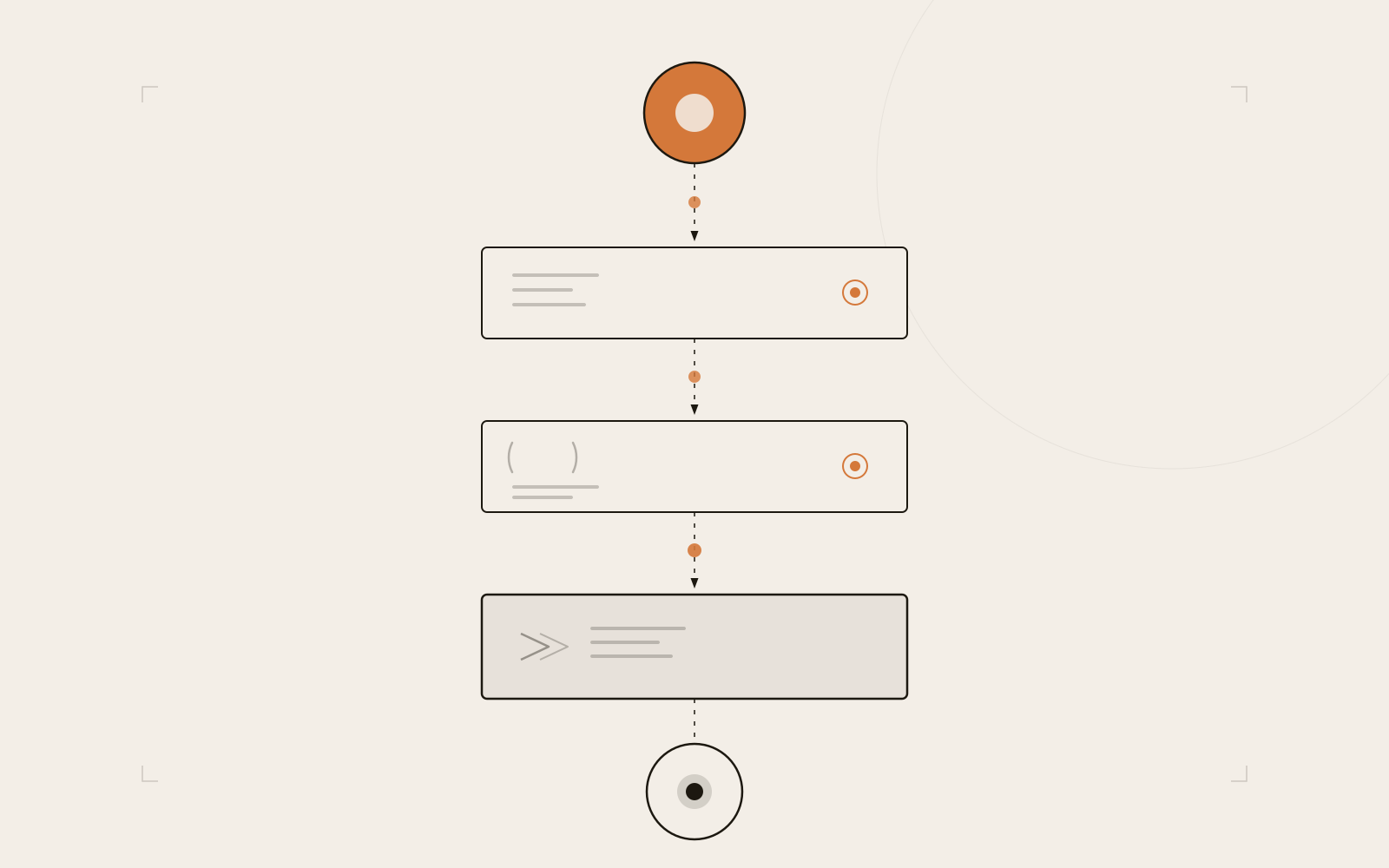
An incoming request passes through each registered middleware in turn before reaching the route handler, then flows back as a response.
The execution model here is the same sequential call stack you already know from JavaScript — each function runs to completion before the next one starts, in the exact order they were registered. If express.json() appears after a route that reads req.body, the body is already gone by the time the parser runs.
Express 5 also handles rejected promises in route handlers automatically. If an async handler throws or returns a rejected promise, Express forwards the error to your error-handling middleware without extra boilerplate. The promises, async/await, and event loop guide explains the underlying model if you want to understand why that forwarding works the way it does.
Check this before moving on
-
app.use(cors())appears before any route definitions -
app.use(express.json())appears before any POST or PUT handler that readsreq.body - Running
node index.jsstarts the server without errors in the terminal
Mistakes that break the API without an obvious error
req.body is undefined with no warning. If express.json() is missing or placed after a route, Express doesn’t throw an error — the body just isn’t parsed. The handler runs, reads undefined from req.body.title, and creates a task with an undefined title. The server doesn’t crash; you get silently corrupted data.
Returning 200 on a successful POST. Sending back a 200 when you create a resource isn’t technically broken — the resource exists — but it violates the REST convention that 201 signals a newly created resource. Some API test suites and client libraries treat 200 and 201 differently. Use res.status(201).json(newTask) when creating.
Missing a res call in a branch. If a route handler returns early (if (!task) return) without calling any res method, that branch leaves the client waiting indefinitely. Every code path must either call a res method or call next(). A missing response is one of the hardest bugs to spot because the request just silently hangs.
Assuming in-memory data persists. The tasks array in this guide disappears when the process stops. That’s expected for a learning environment — the goal here is understanding the routing layer, not persistence. The next part of this series replaces the array with a database. The route code won’t change; only what happens inside the handlers does.
Testing with curl
You don’t need a browser or a frontend to verify your API works. curl covers every HTTP method from the command line:
# List all tasks
curl http://localhost:3000/tasks

# Create a task
curl -X POST http://localhost:3000/tasks \
  -H "Content-Type: application/json" \
  -d '{"title": "Write the README"}'

# Get a single task
curl http://localhost:3000/tasks/1

# Mark a task done
curl -X PUT http://localhost:3000/tasks/1 \
  -H "Content-Type: application/json" \
  -d '{"done": true}'

# Delete a task
curl -X DELETE http://localhost:3000/tasks/1
The DELETE request returns an empty response with a 204 status. curl will show nothing after the command — that’s correct behavior.
If you prefer a visual editor, Bruno stores request collections as plain JSON files in your project directory, which makes them easy to commit alongside the code. Postman works too. For quick one-off checks, curl is usually faster once you have the commands in your shell history.
One test worth running deliberately: send a POST request without the Content-Type: application/json header:
curl -X POST http://localhost:3000/tasks \
  -d '{"title": "Missing header"}'
You’ll get a task created with title: undefined. That’s express.json() not recognizing the request as JSON because the header is missing. This is the same root cause as the middleware-ordering bug — the body is there, but Express never parsed it.
Express leaves the structural decisions to you
The server you’ve built here works. It handles four HTTP methods, parses JSON bodies, and sets CORS headers. It also stores everything in memory and accepts any request body without validation — you can POST a task without a title and the server accepts it silently.
That’s not a missing feature. It’s the design. According to the Express middleware guide, Express gives you routing, middleware composition, and request/response handling. Validation, authentication, database access, and error formatting are entirely up to you. That small surface area is why the framework has barely changed in over a decade — there’s very little to break.
The next part of this series replaces the in-memory array with a real database. The routes you defined here stay exactly the same. The only change is inside the handlers, where the array operations become database queries. Keep that separation clean — routing logic on one side, data access on the other — and the rest of the API stays easy to follow.
For now: run the server, test each route with curl, and pay attention to what happens when you send a POST without the Content-Type header. That one header tells express.json() whether to parse the body at all. Missing it is subtle enough that it’ll catch you at least once, even when express.json() is registered in the right place.