Database Migrations Without Breaking Production
The expand/contract pattern lets you rename or drop columns safely — I walk through the three phases with Prisma Migrate and raw SQL examples.
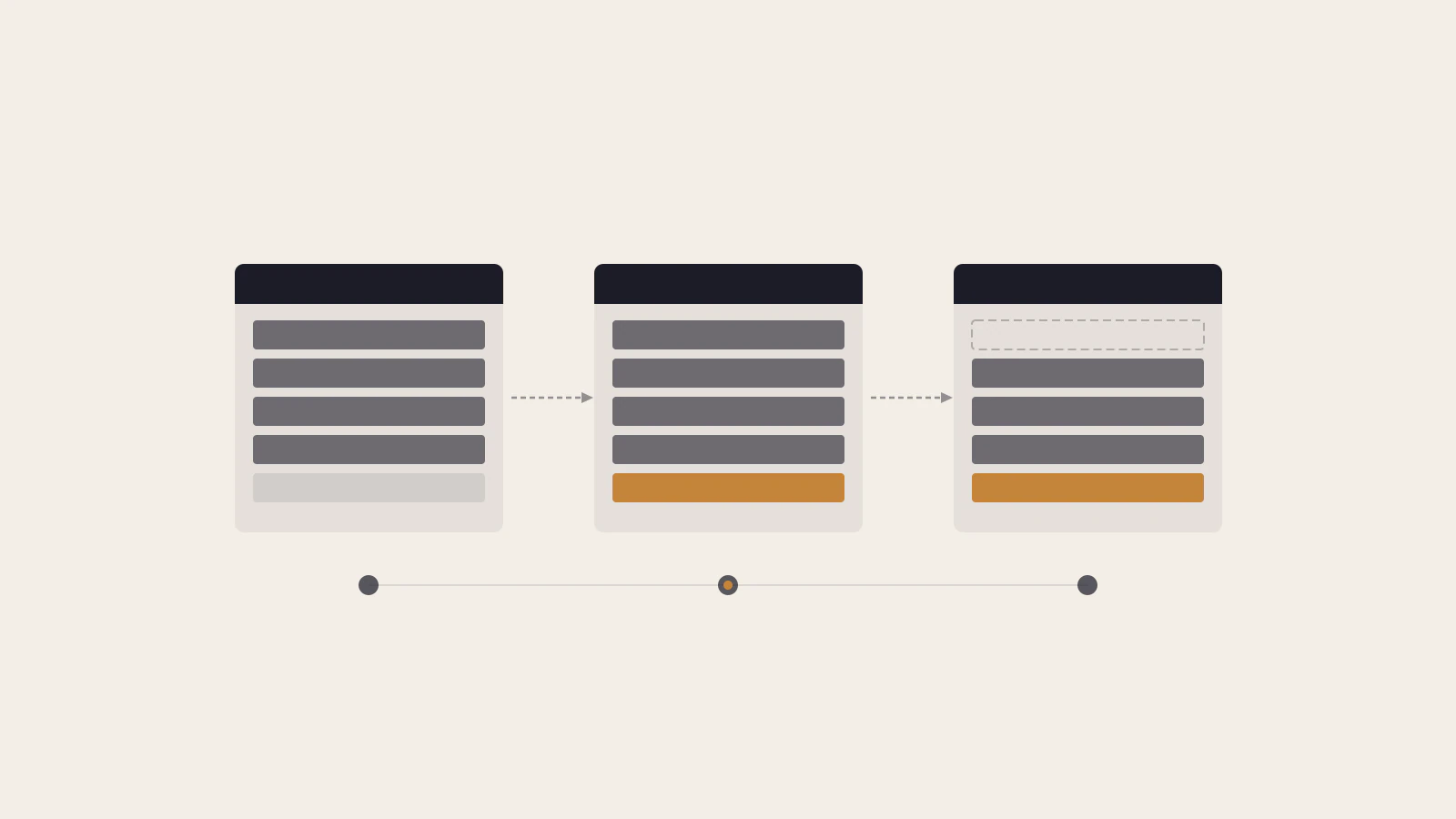
The most common advice for schema changes is “deploy the migration first, then the code.” That’s correct, but it skips the part that actually matters: between those two deploys, your old application code is running against a new schema. Depending on what changed, that gap is where things break.
Most small changes survive it. A simple ADD COLUMN with a default is fine — old code ignores the new column, new code writes to it. But rename a column, change a type, or drop a field, and you’ve created a moment where at least one version of your code is reading columns that don’t exist or writing to columns with the wrong name.
The expand/contract pattern (also called parallel change) is how you eliminate that moment. It turns a risky single-step change into three smaller changes, each safe on its own.
On this page
- The deployment gap that turns a column rename into an outage
- What the expand/contract pattern actually does
- Renaming a column in Prisma Migrate, one phase at a time
- How to drop a column without regret
- Schema changes that still need extra care
- Every migration is a promise to two versions of your code
The deployment gap that turns a column rename into an outage
When you rename a column — say, bio to biography — the naive approach is to update the schema, generate the migration, and deploy. Your migration tool drops bio and adds biography. You apply it to production, then push the updated code.
Those two operations are never atomic. In a standard deployment, the migration runs in a pre-deploy step, while your new application code is being pulled, built, and restarted. That process takes seconds to minutes. During that window, the old code — which queries bio — is hitting a schema that no longer has a bio column.
In environments with rolling restarts, it’s messier. You can have three instances running at once: one on the old code, two on the new code, all pointing at the same database. Any request that lands on the old instance reads a column that no longer exists.
The symptoms are inconsistent. Depending on what failed, you might see database errors, null values where there should be data, or writes that disappear silently. The tricky part is it’s hard to reproduce locally, where you control the deployment sequence yourself.
For applications with structured Express middleware and error handling, these errors surface as uncaught exceptions mid-deployment — exactly when you don’t want them.
What the expand/contract pattern actually does
The expand/contract pattern, documented by Danilo Sato on Martin Fowler’s site, breaks a backward-incompatible change into three phases:
Expand: Add the new structure without removing the old one. Both old and new application code can read and write the database correctly. This is always an additive migration — a safe ADD COLUMN, never a DROP.
Migrate: Backfill data from the old structure into the new. Update application code to write to both columns, then switch reads to the new column. Deploy and verify.
Contract: Remove the old structure. By this point, no running code references it. The DROP COLUMN migration is safe because nothing depends on the old column anymore.
The critical point from Martin Fowler’s writing on evolutionary database design is that the migrate phase can last as long as you need. The database supports both versions simultaneously. You can complete the transition in one release cycle or over multiple deploys — whichever fits your team’s process.
What you gain: each phase can go to production independently. A rollback at any stage is clean. And you don’t need a maintenance window for most column operations.
The Prisma ORM documentation covers this exact approach in their guide on customizing migrations — it’s not just a theoretical pattern.
Renaming a column in Prisma Migrate, one phase at a time
Here’s the full sequence for renaming bio to biography on a Profile model.
Phase 1 — expand: Add the new biography column without removing bio.
Prisma by default would generate a migration that drops bio and adds biography. You don’t want that yet. Use --create-only to generate a draft migration without applying it:
npx prisma migrate dev --name add_biography --create-onlyEdit the generated migration.sql to only add the new column:
-- Phase 1: add the new column alongside the old one
ALTER TABLE "Profile" ADD COLUMN "biography" TEXT;
Apply it and deploy. Old code still writes to bio. Nothing breaks.
Update your app to write to both bio and biography on every write, still reading from bio. Deploy that code change.
Phase 2 — migrate: Backfill existing rows and switch reads.
Create a new draft migration to copy the existing data:
npx prisma migrate dev --name backfill_biography --create-onlyWrite the backfill SQL by hand:
-- Phase 2: copy existing data to the new column
UPDATE "Profile" SET biography = bio WHERE biography IS NULL;
Apply it. Verify the data looks correct. Then update your app code to read from biography instead of bio, and remove the write to bio. Deploy.
Check this before moving on
- The
biographycolumn exists and contains data for every existing row - Your application reads only from
biography - Your application no longer writes to
bio
Phase 3 — contract: Remove the old column.
Remove bio from your Prisma schema, then run the migration normally:
npx prisma migrate dev --name remove_bioThis generates a DROP COLUMN migration. It’s now safe because no running code references bio.
The --create-only flag is the key tool here: it separates schema planning from execution and gives you a chance to review and edit the SQL before anything touches production. This is particularly useful if you’re already using Prisma’s type-safe database layer and want the generated client to stay in sync with each phase.
The Prisma docs on production deployments explain how prisma migrate deploy (used in CI/CD) applies only pending migrations and skips the shadow database — which means the three-phase approach works cleanly with automated pipelines.
How to drop a column without regret
The contract phase — dropping the old column — is where people move too fast.
The rule: do not drop a column in the same deployment cycle where you removed it from your application code. Your old code might still be running: in a container that hasn’t restarted, in a background worker, or in a queue consumer processing tasks that were queued before the deploy. Drop the column while any of those are active, and you’ll see errors from code that no longer exists in your repository but is still running.
A safe approach: remove the column from your application code in deploy N. Run the DROP COLUMN migration in deploy N+1, at least one full deployment after the code change is confirmed live everywhere.
Prisma flags destructive migrations automatically. When you run prisma migrate dev to drop a column, the CLI warns you that the operation causes data loss. That warning is useful — it’s a prompt to verify that no running code still reads that column before you apply it.
If the column you’re dropping has indexes on it, confirm those are also dropped in the same migration. An orphaned index wastes storage and can produce confusing query plan behavior even after the column is gone.
Schema changes that still need extra care
The expand/contract pattern handles most column operations, but some changes need extra thought regardless.
Adding a NOT NULL column without a default: PostgreSQL rewrites the entire table when you add a NOT NULL column with no default. On small tables, that’s instant. On a table with millions of rows, it takes minutes and holds a lock the whole time — blocking reads and writes on that table.
The safe alternative: add it as nullable first, backfill a value into every existing row, then add the constraint.
-- Step 1: add as nullable (no lock beyond the brief ALTER)
ALTER TABLE users ADD COLUMN is_verified BOOLEAN;

-- Step 2: backfill in batches if the table is large
UPDATE users SET is_verified = false WHERE is_verified IS NULL;

-- Step 3: add the NOT NULL constraint
ALTER TABLE users ALTER COLUMN is_verified SET NOT NULL;
PostgreSQL 11 and later optimizes ADD COLUMN ... DEFAULT <constant> so it doesn’t rewrite the table for simple constant defaults. But if your default involves a function call or a subquery, the rewrite still happens.
Changing a column’s type in a breaking way: Going from VARCHAR to TEXT is usually safe. Going from TEXT to INTEGER on a column that contains non-numeric strings will fail, and doing it mid-deployment breaks reads from any old code still running. Apply expand/contract here too: add a new column with the target type, migrate the data, switch reads, drop the old column.
Knowing these edge cases tells you when a migration is safe to ship mid-deployment and when it needs extra coordination. For more context on how PostgreSQL stores and structures table data, the PostgreSQL for developers post covers the table and column model in detail.
Every migration is a promise to two versions of your code
The mental model shift is this: your migration isn’t just a change to the schema. It’s a commitment that the database must satisfy for the version of code currently deployed and the version about to replace it.
An additive migration — add a column, add a table, add a nullable field — is almost always safe because old code ignores what it doesn’t know about. A destructive migration — drop a column, rename a column, add a NOT NULL constraint — is safe only after the transition is complete.
That’s the rule: run additive migrations freely, run destructive ones only after the migrate phase is done.
The practical checklist before any migration:
- Is this migration purely additive? If yes, it’s safe to run ahead of the code deploy.
- Does this migration remove or change something the current code reads? If yes, use expand/contract.
- Does this change lock the table for a long time? If yes, measure the table size and plan for the lock duration before shipping.
The expand/contract pattern is what makes “deploy the migration first, then the code” actually work for the cases where it’d otherwise cause an outage. Instead of a risky one-step change, you have three boring, safe steps — and boring deployments are what you want.